How to Create a Custom WordPress Login Page Using Plugin
Custom WordPress Login Page is required When you are a creative person and a full designer then you will want to design everything Custom WordPress Login Page. Today I am sharing a WordPress plugin that you might create your own custom WordPress login page screen instead of the default WordPress screen.
The WordPress login page is the page on which administrators and other registered users might access all the important WordPress dashboards. The login screen is the page screen or authorization identification screen where you put your WordPress user name and password to access your WordPress dashboard.
How to Create a Custom WordPress Login Page Using Custom Login Page Customizer Plugin
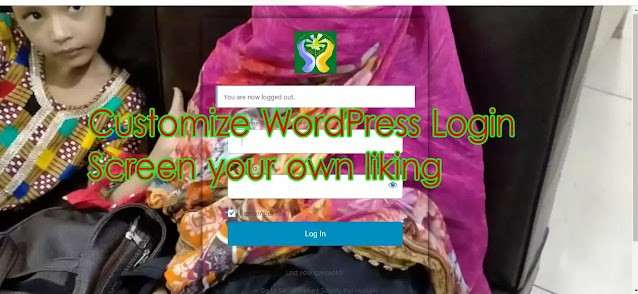
This standard setup may be perfectly acceptable when you are the sole owner of the dashboard and have possession of the dashboard but when you working on a customer website there will be a need to take permission to take your own monogram and custom page on it. If you may want to rebrand the WordPress login screen, you are in the right place.
Let’s start the process. We will use a plugin to customize the page screen without writing any HTML or CSS difficult coding. This new method will allow you to customize your login page screen by using the WordPress theme customizer.
How can customize the login page screen?
This is very simple to change login page customizing by changing or updating the wp-login.php file from the source directory. This is not a good thing because of mishandling something else if you are a beginner. For beginners, this method is not so popularized because of tough editing. If you don’t know to edit the wp login.php file, chances will increase to lose your everything. So, for beginners and saving time from indulging in coding, it is better to use the plugin. There are hundreds of plugins that any one of them you may use for this purpose. Below is the list of free plugins for customizing the login screen of WordPress.
- Colorlib Login Customizer
- BM Custom Login
- Trident Custom Login and Dashboard
- LoginPress
- Login Designer
- Birds Custom Login
- Custom Login Page Customizer
Here we will use a custom logging page customizer plugin to customize the login page.
How to Create a Custom WordPress Login Page Using Custom Login Page Customizer Plugin
Open your WordPress login page by providing “domain.com/wp-admin” and put the user name and password of WordPress.


Click on “Plugins” on the dashboard left side and click on “Add New”.

To add a new page click on Add new button.

Write in the search bar “Custom login page customizer”

The plugin will show and click on the Install button.

After installation click on activate the Custom Login Page Customizer Plugin.

Now, Click on Appearance and then Login Customize section and Click on the Start Customizing button to proceed further.

Allow the page to appear, click on allow and continue button.

It will launch the built-in WordPress theme customizer page where you can customize the theme and make it look the way you want. Do these available changes like background picture or color and logo etc. And publish or save it.

Now, log out of the WordPress dashboard and the Login customizer page will get displayed on the screen. On the login customizer page also you can customize your login page in the same way you customize your WordPress theme in the theme section.
You May Also Join Us On:
- You can Join Our Facebook Page for Daily Updates:
- Follow Us on Google News to get Daily Updates:
- Follow Us on Instagram for daily Updates:
- Follow Us on Pinterest to get daily Updates:
- Join Us on Twitter to get daily Updates:
You may also like:
- online bus reservation system php source code
- our projects
- pageranks importance for seo
- pogo sticking how to prevent
- power of google keywords ranking tools
- reasons why your blog post is not ranking on google
- recover deleted web pages
- resolve microsoft office problems
- search console google fast index blogger post in a minute
- semrush pricing
- seo for publishers