Best Crypto Course: How to transfer USDT from Binance to Wallet?
Transfer USDT from Binance to Wallet: Welcome learners on digital money website and today new crypto course class Transfer USDT from Binance to Wallet. Binance, one of the leading cryptocurrency exchanges that provides you with a range of digital assets to trade and manage. If you are looking to transfer your USDT (Tether) crypto holdings from Binance to your personal wallet. Then you are right place to learn the methodology to Transfer USDT from Binance to Wallet.
This transfer USDT from Binance to Wallet step-by-step guide will assist you in completing the process smoothly and securely. By following the instructions below, you can confidently transfer your USDT from Binance to your wallet of choice. You will learned to Transfer USDT from Binance to Wallet at the end of the blog post and video course class.
How to transfer USDT from Binance to Wallet?
The process of transferring USDT from Binance to your wallet generally remains the same regardless of the year of the Binance. To transfer USDT from Binance to a wallet, you would typically follow the steps outlined in the below response which include selecting your wallet, creating or accessing your wallet, obtaining the wallet address, navigating to the withdrawal section on Binance, providing the destination wallet address, specifying the transfer amount, verifying the detailsand confirming the withdrawal.
It’s important to note that cryptocurrency processes and platforms can evolve over time, so it’s always recommended to refer to the most up-to-date instructions and guidelines provided by Binance or the specific wallet you are using. Additionally, stay informed about any changes in policies, security measuresand transaction fees that may be applicable when transferring USDT or any other cryptocurrencies.
Methods How to transfer USDT from Binance to Wallet
Transfer USDT from Binance to Wallet to your personal wallet allows you to have complete control over your digital assets. It enables you to store your USDT securely in you wallet of your choice which is providing access and ownership independent of the exchange. Let’s start.
Step 1: Selecting Your Wallet
Before initiating the transfer, You should have to select your wallet that supports USDT. You can research on various available wallets in the market and consider the effecting factors on these wallets such as security features, compatibility with your device, user-friendliness and community reputation.
Step 2: Creating or Accessing Your Wallet
Create an account on your chosen wallet platform if you are using a new wallet. If you already have a wallet, ensure you have access to it and know your wallet address. This address is very essential for receiving the USDT transfer.
Step 3: Locating Your Wallet Address
In your chosen wallet, find your USDT wallet address. This alphanumeric address is unique to your wallet and acts as the destination for your USDT transfer. Take note of this address as you will need it in the following steps.
Step 4: Navigating to the Withdrawal Section on Binance
At the 4th step of to transferring to wallet is to log in to your Binance account. After logging in you would have to navigate to the “Wallet” and then “Funds” section on your wallet platform. You should have to Locate the USDT wallet in your Binance account.
Step 5: Initiating the Withdrawal
Within the USDT wallet on Binance, click on the “Withdraw” or “Send” button to begin the withdrawal process for Transfer USDT from Binance to Wallet. Ensure that you have selected the USDT option for withdrawal.
Step 6: Providing the Destination Wallet Address
Enter the USDT wallet address from your personal wallet (obtained in Step 3) as the destination address for the withdrawal. Transfer USDT from Binance to Wallet Double-check the address to ensure accuracy, as any errors could result in the loss of your USDT.
Step 7: Specifying the Transfer Amount
Indicate the amount of USDT you wish to transfer from Binance to your personal wallet. Take into account network fees associated with the transfer. Ensure that you have sufficient funds available in your Binance account to cover the withdrawal.
Step 8: Verifying Withdrawal Details
Now, Review all the withdrawal details for transfer USDT from Binance to Wallet, including the destination wallet address and the transfer amount, before confirming the withdrawal. Pay attention to withdrawal fees imposed by Binance.
Step 9: Confirming and Initiating the Withdrawal:
After verifying the withdrawal details for transfer USDT from Binance to Wallet, confirm and initiate the withdrawal request. Depending on Binance’s security measures, you may need to complete additional verification steps such as providing a verification code sent to your registered email or mobile device.
Step 10: Verifying the Successful Transfer
Once the withdrawal is confirmed and processed by Binance, monitor the blockchain explorer or your personal wallet’s transaction history to ensure the successful receipt of your USDT. This verification process for transfer USDT from Binance to Wallet ensures that the transfer has been completed and the USDT is now in your personal wallet.
Important Considerations and Best Practices
Now, consider the below best practices to Transfer USDT from Binance to Wallet.
- Security: You should have to Prioritize the security of your personal wallet by enabling necessary security features such as two-factor authentication (2FA) and ensuring you are using a reputable wallet provider.
- Double-Check Addresses: Always double-check the destination wallet address when initiating the transfer to avoid sending funds to an incorrect address.
- Transaction Fees: Take note of the withdrawal fees imposed by Binance and consider them when specifying the transfer amount.
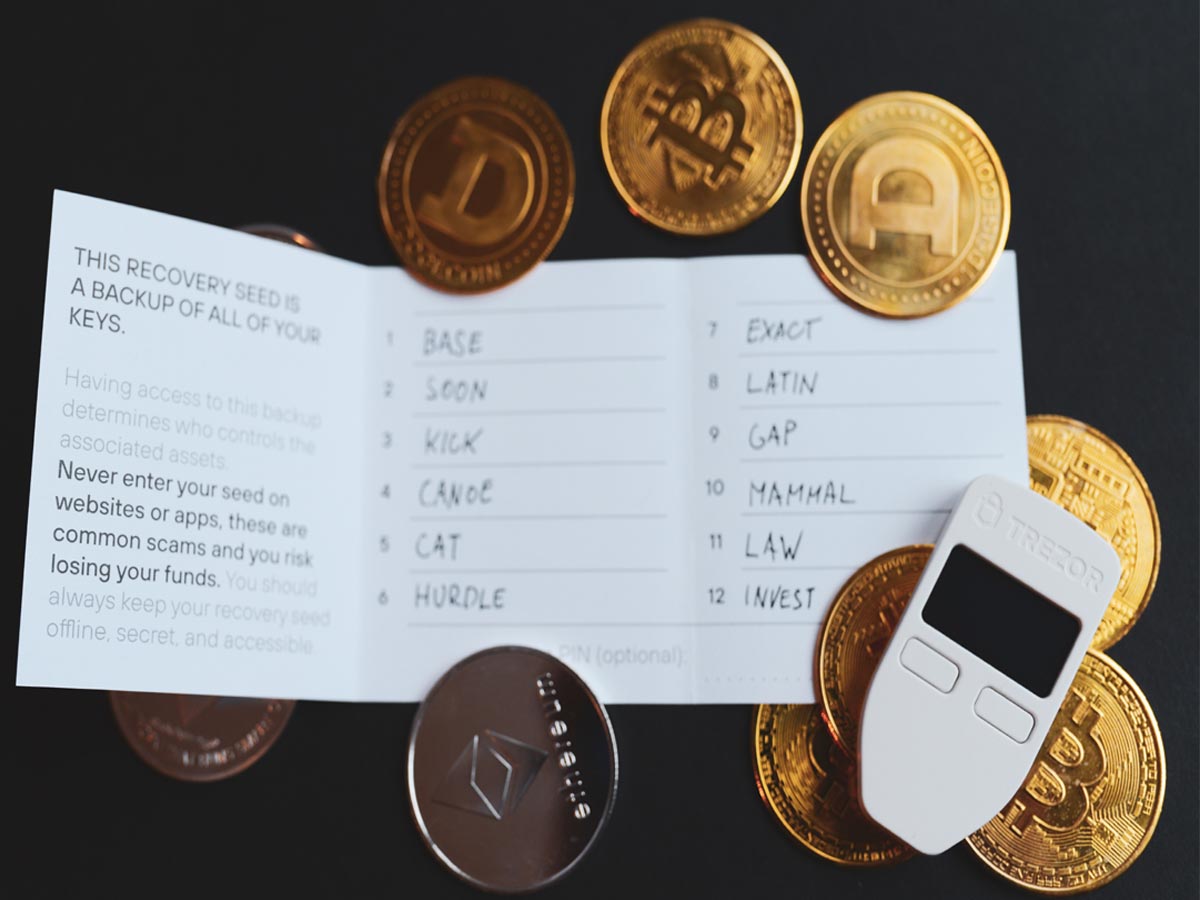
- Backup Your Wallet: You should have to Regularly back up your personal wallet to protect against potential loss or damage to your private keys.
Conclusion
Transfer USDT from Binance to Wallet to your personal wallet is a very straightforward process that allows you to have complete your control over your digital assets. By selecting a wallet, creating or accessing your wallet, locating your wallet address, initiating the withdrawal on Binance, specifying the transfer amount, verifying the detailsand confirming the retreat, you can confidently transfer your USDT. Always prioritize security, double-check addressesand consider any associated fees. With these considerations in mind, you can safely and securely transfer your USDT from Binance to your personal wallet.
Watch Our Video Class on transfer USDT from Binance to Wallet
You may join us on Social Media:
- Join us on our Facebook page:
- Join us on our Pinterest Page:
- Join Us on our Youtube Channel:
You may also like: