How to Fix Can’t Print on Ms Excel issue on windows
Fix Can’t Print on Ms Excel in the current article, an error may appear on the computer screen when you give the printing command on MS Excel like not printing anything in MS excel. Simply, this solution will benefit you when you cannot able to print anything from excel and from PDF files.
This is a 100 per cent working and original method to deal with the error. The further following errors may also appearand the solution of all these errors is the same.
Fix Can’t Print on Ms Excel
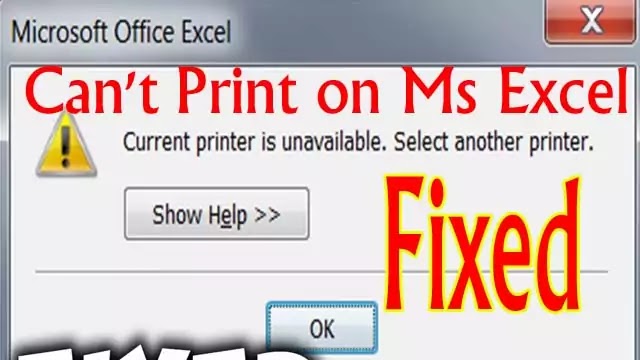
You open the Microsoft excel application for printing purposes and it not printing anything in MS excel., give the printing command but suddenly you see the error that does not continue to print. These errors may be of the following type.
- Cannot print on MS excel.
- Excel is unable to print due to the non-availability of the printer.
- Not print due to not set default printer.
- Could not be printed due to several possible reasons.
- Please select another printer to print and accomplish the task.
What is the reason for this error of not printing anything in MS excel?
The reasons behind this error of not printing anything in MS excel may be the virus, application permissionand printer permissions. There may be anyone reason for the above errors. All applications need permission to perform functions, when you insert any USB, a virus tries to hold the applications and system. But when not succeeded, it may occur such type of errors. You don’t need to worry and follow the below steps to eliminate the error.
- Type and open the run command from the Windows start menu.
- Now, you will open the main registry of the windows by typing “Regedit” in the run command and pressing the enter key to open the main registry. It is better to take a backup of your whole registry before editing anything to it.
- Click on the appeared HKEY-CURRENT-User from the lists.
- Now you have to click on the Software. By searching.
- Then, you have to explore Microsoft.
- Expand the Windows tab of WINDOWS NT.
- Choose and select the CURRENT Version.
- Now, you have to give the permission of the following devices and applications one by one.
- See and choose and right-click on “Devices “and then you have to choose permission. You will do the same process for “Printer Ports” and “Windows” by clicking on them and then selecting all software and then ticking on permission. You have to provide full control to the user on devices. Make sure that everyone uses is available on the top user’s list. If you don’t see everyone’s user there, kindly add first before applying for permissions.
- Restart your PC to take effects of the changes in the registry.
- I Hope, your issue of not printing anything in MS excel will be solved.
What do I do if the issue is still not solved?
- If the issue still exists and you aren’t able to print anything from excel and PDF, follow the below instructions to solve the issue of not printing excel files.
- You have to Open the overall windows services.
- Now, you will have to find the services of print spooler from the overall services of the windows and you will have to stop the print spoolerand then restart it. If already not started then click on start to start the printer services.
- Now, restart your computer and hope your issue of not printing anything in MS excel is done.
- If the issue is still not solved, make sure that you have allowed full control to everyone user, if not then you have to create an everyone user in permission and allow full control of the above three devices again by following the above steps.
- If still not solved, the final solution is to rename the dword value of devices in the Windows folder as “winpool.Nee00” if any other device is typed and press OK. Sometimes, devices pick up the wrong device and location and after typing the above default value, it will again try to access the device. This is the issue of not printing the PDF files and in doing so, the problem will be eliminated on time.
- Restart your computer and hoped your issue has been overcome. But still have the same issue, you have to format the whole drive to erase the virus and spam from the registry. If you don’t want to reinstall a fresh copy of Windows, install ORBIT Uninstaller to correct the registry.
You May Also Join Us On:
- You can Join Our Facebook Page for Daily Updates:
- Follow Us on Google News to get Daily Updates:
- Follow Us on Instagram for daily Updates:
- Follow Us on Pinterest to get daily Updates:
- Join Us on Twitter to get daily Updates:
You may also like:
- power of google keywords ranking tools
- reasons why your blog post is not ranking on google
- recover deleted web pages
- resolve microsoft office problems
- search console google fast index blogger post in a minute
- semrush pricing
- seo for publishers
- seo friendly blogger templates
- services we offer
- split long posts in blogger
- student information system php source code
- the best keyword strategies