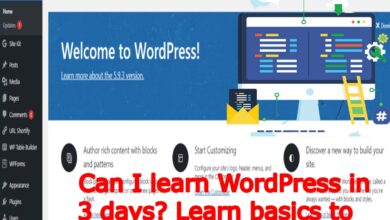
WordPress Basics: Understanding Blogs and Adding or Creating Posts with Techno Hadayat Education
Understanding blogs and adding or creating content: In the ever-evolving digital communication landscape, blogs continue to play an important role in communicating ideas, information and experiences to a global audience. Whether you are an avid writer, an aspiring entrepreneur or a business owner looking to engage with customers, understanding how to build and run a blog is essential to building an online presence
With Techno Hadayat Education’s WordPress course, you can learn the basics of blogging and master the art of Creating Posts content to your WordPress website. In this comprehensive Creating Posts guide, we will explore the concept of a blog, explore its importance in today’s digital age and provide you step-by-step instructions on how to add content to your WordPress blog.
In this video course class of Creating Posts, we’re diving into the world of blogging and its significance for your websites. Let’s break down what we’ve covered in Creating Posts:
- Introduction to Blogging: We started by understanding what a blog is and why it’s very crucial for your websites to have one. A blog serves as a platform for sharing updates, insights and engaging with the audience.
- Examples from Big Companies: We are looked at different examples from companies like Apple and Microsoft to see how they utilize their blogs today. These companies regularly post updates, press releases and news to keep their audience informed and engaged by Creating Posts daily.
- Creating a Blog Post: We then walked through the process of creating a blog post in WordPress. This involves writing content, adding visuals and publishing the post to make it live on the website.
- Importance of Interaction: We emphasized the importance of interaction by showcasing how readers can engage with blog posts through comments and replies.
- Building a Blog Page: We discussed the significance of having a dedicated blog page on your website. This page serves as a hub for all your blog posts and making it easy for your visitors to access and explore your content which is you Creating Posts and articles.
- Upcoming Topics: Lastly, we hinted at upcoming topics, such as categorizing posts, customizing post layouts and optimizing for user experience. These advanced techniques will further enhance the effectiveness of your blog.
In summary, blogging is not just about creating content and Creating Posts; it’s about building relationships, establishing authority and driving engagement. Stay tuned for more insights and tips to elevate your WordPress website by learning and Creating Posts!
Introducing Creating Posts By Techno Hadayat Education
Techno Hadayat Education is a leading online learning platform that offers all new learners a wide range of digital courses and resources to help you to enhance and learn digital skills and knowledge. With Techno Hadayat Education’s WordPress course class today, you can learn from experienced instructors and industry experts of Creating Posts in blog who will guide you through the process of creating and maintaining your WordPress blog.
Why Learn WordPress with Techno Hadayat Education?
Techno Hadayat Education’s WordPress course covers all aspects of WordPress website development, including blogging, optimization, customization and more. The WordPress course is led by experienced instructors with practical experience in web development and blogging. You will receive expert guidance and support throughout your learning journey.
Techno Hadayat Education emphasizes hands-on learning and allowing you to apply your skills in real-world situations through practical exercises and projects. This communication style ensures that you gain practical knowledge that you can put to use immediately.

Techno Hadayat Education offers you flexible learning options, including self-directed learning, live webinars and interactive learning.
Understanding Blogs and its Significance
A blog is a type of website or online forum where individuals or organizations regularly Creating Posts and written articles about specific topics, interests or experiences. The blogs cover a wide range of topics including personal experiences, travel, food, fashion and technology, shopping and more.
The importance of blogs
Blogs play an important role in today’s digital age for several reasons by sharing and Creating Posts:
- Content sharing: Blogs provide you a platform for all individuals and organizations to share their ideas, knowledge and expertise with a global audience. Whether sharing personal stories, providing educational content or promoting products and services, blogs are a valuable way to spread the word.
- Community building: Blogs create a community of like-minded individuals with common interests and passions. Through comments, commentsand engagement, blog readers can interact with authors and each other, creating meaningful connections and relationships.
- Brand building: Blogs are a powerful brand building and marketing tool for businesses and organizations. Blogs allow businesses to showcase their products, servicesand expertise, establish thought leadership in their industry and engage with customers on a deeper level.
- SEO Benefits: Blogs are crucial for improving search engine optimization (SEO) efforts. Regularly posting high-quality, relevant blog posts can help drive organic traffic to a website, improve search engine rankings and increase online visibility.
Adding content to your WordPress blog
Below you can find the full process and method to add content to your wordpress blog website.
Step 1: Go to WordPress Dashboard
Login to your WordPress dashboard with your username and password to proceed the process of Creating Posts on your blog. Once you logged in, you will be taken to the WordPress main admin dashboard where you can manage all aspects of your blog or website.
Step 2: Go to the Posts Section
In the WordPress dashboard of your website, you can look for the “Posts” option in your wordpress sidebar menu. Click on “Posts”, then you can select “Add New” from the submenu appeared. This will take you to the post editor screen where you can create and customize your blog post.
Step 3: Create a new post
You are Creating Posts to Start by entering a title for your blog post in the area shown at the top of the screen. This title will appear as the title of your post on your blog. Under the title area you will find a great text editor where you can add text to your post.
Step 4: Add text to your post
You can Use a text editor to create your blog post content including text, images, video and other multimedia elements. You can use the tools provided to create your content, including formatting, layout and layout.
Step 5: Customize the Post Settings
On the right side of the screen you will find a variety of settings and options to customize your blog post. Here, you can set categories and tags for your posts, select featured images, customize post formats and make other settings adjustments as needed.
Step 6: View and publish your post
After adding elements and changing your post structure, you can preview your post to see how it will appear on your blog. If you like the preview, click the “Publish” button to make your post available on your blog.
Step 7: Manage your posts
Once you have published your post, you can go to the “All Posts” section of the WordPress dashboard and manage that and the posts on your blog. Here, you can view a list of all your posts, edit existing posts, delete posts and organize posts into categories and tags.
conclusion
Understanding the concept of a blog and how to Creating Posts content is an essential skill for anyone looking to create and maintain a WordPress blog. With Techno Hadayat Education’s WordPress course, you can hone these skills and unlock the full potential of your blog and Creating Posts of your blogs.
Whether you are a beginner or an experienced developer, Techno Hadayat Education provides you best guidance, resources and support you need to succeed in WordPress blogging. You can Enroll in Techno Hadayat Education’s WordPress course today and take your blog to new heights of creativity and interactivity.
Join us on Social Media Platforms:
- Join us on the Facebook page:
- Join Us on the Linkden Page:
Effective Career Counselling Tips For Students
Eid Ul Fitar To Be Observed
Elementary Teacher Cv In Word
English Sentences Notes For All Classes
Environmental Protection Agency Pakistan Jobs
Excise And Taxation Inspector Past Papers
Fa Aiou Pdf Books Of All Course Code
Facebook Bio Facebook Stylish Bio
Facebook Bubble Name
Facebook Vip Bio Stylish Symbols
Fa Fsc Date Sheet Bise Peshawar
Fc Barcelona Barca Star Dedicates The Goals In First Lewandowski Show