Can I learn WordPress in 3 days? Learn basics to advance in 2026
To learn WordPress in 3 days is easy for beginners if anyone wants to learn. The question is so simple the answer is yes. If you are a beginner and don’t know anything about WordPress and its working, you should get information about this system before learning WordPress with targeted days as learn WordPress in 3 days.
WordPress is a CMS software that facilitates beginners and persons who are not so familiar with website development and designing. WordPress is so popular among developers and about 70% of websites in the internet history are running on WordPress dashboards. To learn WordPress in 3 days is not tough in the case of beginners. But if you get some familiarity with the system, it will get more convenient for you in the learning process.
Can I really learn WordPress in 3 days?
Yes, you can really learn WordPress in 3 days completely and be able to make a blog or website. There is no rocket science in WordPress working except for some basic settings. You Can Learn WordPress in 3 days with all its basic terminologies. When you made some changes and modifications, it will take time to understand the basics of HTML and CSS. When you want to learn extra and advanced WordPress with the basics of HTML and CSS, it further required one week to learn WordPress completely.
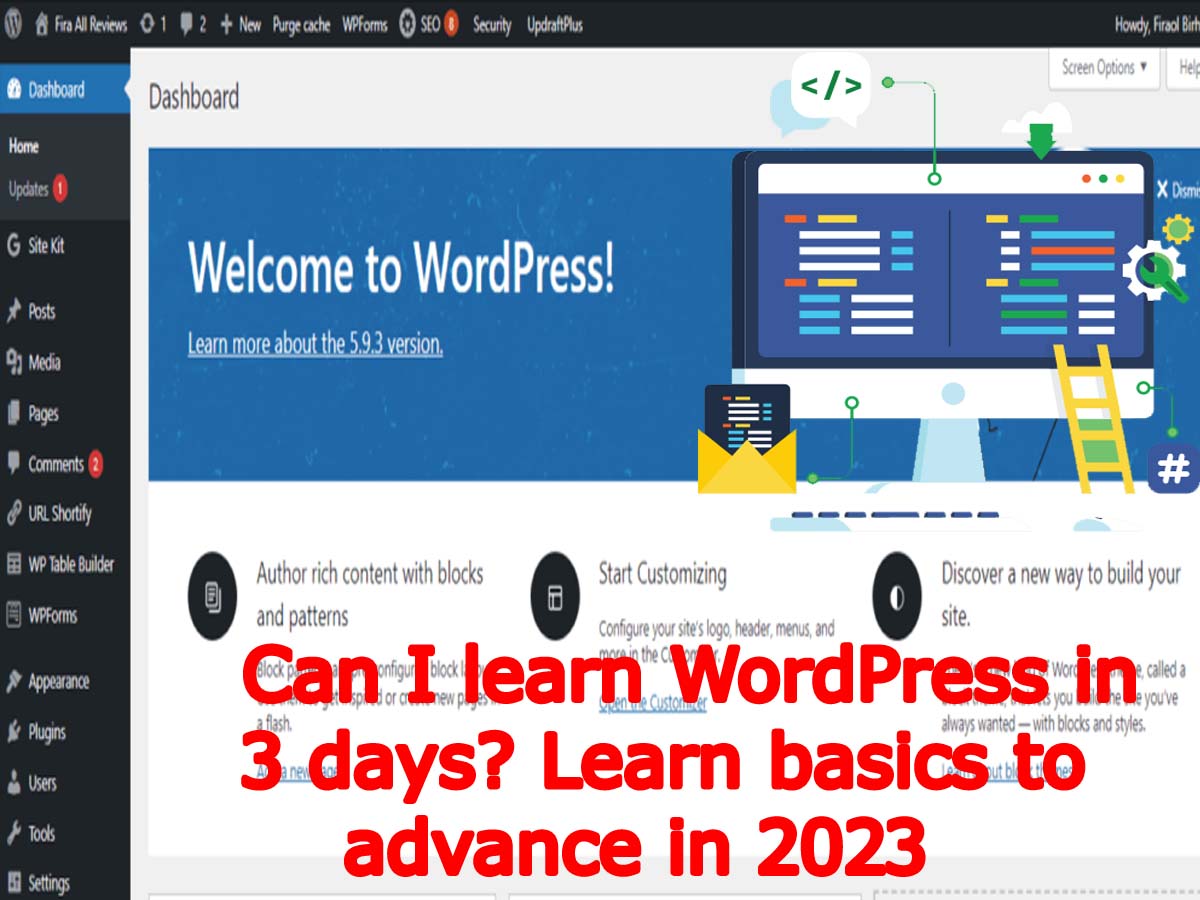
To become a superuser of WordPress, you will need further time for two months. It has the basic settings, modifications, plugin usage senseand deep customizations of WordPress. But when you want to learn and make your own theme and plugin the website development, it will take further time of learning to 6 months.
Which type of pre-learning is required for WordPress learning?
You should not need to be a programmer and know programming to handle WordPress completely. About 55% of people who handle WordPress don’t know a bit about programming. Actually, WordPress is designed in such a way that everyone can use it without any trouble. There is no need for any technical expertise to use and handle your website on the WordPress dashboard.
Many people used WordPress who don’t know anything about programming and its terminology. Many bloggers, filmmakers, journalists, professionalsand photographers used it without knowledge of coding. It is true that some technical knowledge should be done about WordPress that will help you at the time of troubleshooting. Some manual coding is also required, if knowledge is available, you can do it easily.
Much of the work and troubleshooting does by the plugin with complete troubleshooting coding. Most of the mini codes are available on the internet that will help you at the time of troubleshooting an issue. Further, many plugins and themes are available also to solve your issues on your blogs and website. Hence, you don’t require any professional knowledge or degree to use and handle the WordPress dashboard and websites.


Days of learning WordPress in 3 days
Now we are going to learn WordPress in 3 days to make blogs and websites. These are the basics of WordPress that you will be able to learn WordPress in 3 days. You will have to follow and do complete practice as elaborated below in 3 days.
As the days of learning quickly, you should do your practice double. It means that you will do twice time a task in the case of beginners. In this way, you will learn WordPress in 3 days.
Day one
On the first day, you will know about the basics of WordPress and its working functions. Also, you will learn about WordPress installation on your hosting. So, let’s start the first day of learning the course of learn WordPress in 3 days.
Install WordPress
You will install WordPress on your live hosting plan. So, go to your hosting provider’s website and log in with your username and password. See their installing apps and choose WordPress. When you select WordPress, it will start to install WordPress. Follow the below steps. Read out more about step by step guide to installing WordPress live and locally.
- After clicking on WordPress, the hosting installer will provide you with a link for installation. Click on the link.
- Now, select your WordPress language on the page and click the Next button.
- On the next page, choose your website or blog name, user name, password, your email address. Provide all the information and click the install button.
- Your WordPress will install successfully and then log in to the WordPress dashboard.
Install Theme
Now, after installing WordPress on the hosting, you will have to install the WordPress theme. The theme is also a good choice for your blog and website. You will have to choose a good theme that fits your blog niche.
You can buy your theme from the popular theme seller website. We suggest you don’t install the null themes on your WordPress website. Because it will disturb your website when your site gets bigger and more traffic starts to arrive on the website. Null themes are the actually cracked versions of the themes that invite hackers to hack your website.
Install the Basic Plugins
Now, you will install the basic WordPress plugin that your website needs. You will have to install the security plugin, cache plugin, speed pluginand all related to your blog plugin. Install them by clicking on the plugin section and adding the new plugin. You will install and activate the plugin first to work properly. You can read here the full list of the essential plugin to have a WordPress website.
Customization of WordPress Theme
Now, you will customize your WordPress theme. Some themes have their own editor to customize and some of the themes don’t have an editor and depended on the WordPress editor to edit the theme. See your theme functions and start to customize the theme.
Day two
Important Settings of the WordPress
Now, you will do all the important WordPress settings in the WordPress settings tab.
Important Settings of the Theme
If your theme has its own settings, you will also customize the them and settings.
Day three
Create Important Pages
Now, You will have to create your essential pages for your website which is the privacy policy and disclaimer. about us, contact usand terms and conditions to make your website according to universal rules.
Create Posts and enjoy
Now, create your first post and continuous to posting. It is the very best to schedule to post on the same a post on daily basis for better rank your articles.
Conclusions:
So, you have learned that there is no difficulty to learn WordPress in 3 days. You can easily learn the basics of WordPress within the targets. When you make a decision to learn WordPress in 3 days, you can really learn and be able to develop your first website on WordPress.
You may join us on Social Media:
You may also like:
- how to connect domain to hosting
- power of email marketing jobs for success
- what is content marketing and how it works
- remote email marketing jobs best skills
- the quiet quit what is it impact your career
- type of digital marketing
- what are amazon and amazon wholesale
- best free seo plugin for wordpress
- buying barcodes upc ean cost
- buy on alibaba
- fba delivery to amazon carrier central
- getting to know your customers kyc better
- amazon seller support team
- how do i buy a domain name uk
- how fast is amazon same day delivery exploring the speed and convenience of amazons same day delivery service
- how to create blog pages for free
- how to successfully start a blog
- market an online business marketing
- what are online marketing and its advantage
- what is amazon complete mastery amazon course