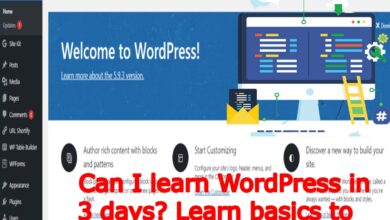
WordPress Basics: Let’s Create a Blog Page with Techno Hadayat Education
Create a blog page: Having a platform to share your thoughts, insights and experiences in the digital realm is very important. Blogs are a powerful way to connect with your audiences, express creativity and establish authority in niches. With its user-friendly interface and versatile features, WordPress is the way to create stunning and functional blogs.
With Techno Hadayat Education’s Comprehensive WordPress course class of Create a Blog Page, you can join on a journey to master the art of blogging and create engaging blog pages that resonate with your audience. In this Create a Blog Page guide class, we will delve into the step-by-step process of creating a blog page, empowering you to showcase your creativity and build a successful online presence.
In this video course class, we focused on creating a dedicated blog page on our website using WordPress. Here is a summary of what we discussed in our today class aobut Create a Blog Page for your website:
- Creating a Blog Page: We showed how to create a new page in WordPress and name it “Newsroom” or “Blog” to create our blog page. This page will list all the articles we publish.
- Creating a blog page: We went to Settings > Reading section in WordPress to set up our newly created Posts Page. This ensures that all blog posts are displayed on this page.
- To view the blog page: After setting up the blog page, we checked how it looked. At first, it showed no post because we hadn’t published anything yet.
- Adding a new blog post: We then clicked on “Add New” under the Posts menu to add a new blog post. We decided on the post title and content, then published it.
- To view the article on the blog page: Finally, we returned to the blog page to check the status of our newly published post. We noticed that the article is now featured on the blog page along with previously published articles.
We’ve teased the next video class, where we will learn how to categorize blog posts, similar to how big companies like Apple categorize their posts. Categorizing posts helps you to organize your content and makes it easier for your visitors to navigate.
To understand the importance of blog pages:
Before we dive into the technical aspects of creating a blog page, let’s take a moment to understand why blog pages are important for your WordPress website:
- Content structure: Blog pages act as a central location for your blog posts and allowing your visitors to easily access your created content. You should Organizing your blog posts into groups and tags and helps your users to navigate your website more efficiently and find relevant information very easily.
- Interactivity and engagement: A well-designed blog page encourages your users through comments, social sharing and interactive elements. By fostering a sense of community and conversation, you can connect with your audience and keep them coming back for more.
- SEO Benefits: Blog pages play an important role in getting your website visible in the search engine. Regularly updating your blog with new and relevant content can boost your website’s ranking in search engine results pages (SERPs) and drive organic traffic to your website.
- Branding and Authority: Consistently publishing high-quality blog posts positions you as an authority in your niche and reinforces your brand identity. Blog pages showcase your knowledge, insight and unique perspective and helping you to stand out in a crowded digital worlds.
Blog page being developed with Techno Hadayat Education:
Now that we’ve explored the importance of blog pages and to Create a Blog Page, let’s dive into the process of integrating with Techno Hadayat Education’s WordPress course and class of Create a Blog Page:
Step 1: Go to the WordPress Dashboard:
You have to Import your credentials into your WordPress dashboard. When you log in, you will be greeted with a WordPress admin dashboard where you can manage different parts of your website easily.

- Cottage Insurance Brokers: Best Tailoring Policies For Your Ontario Paradise
- House Insurance: Your Comprehensive Guide To Its Costs In Ontario
- What is the Average Price for Home Insurance in Canada Today?
- How to Reset Windows Password Forgotten Using Command Prompt
- IBM SPSS Statistics 27.0 Download and Review: Is This Statistical Giant Still the Best Choice?
Step 2: Visit Pages:
In the WordPress dashboard main page, look for the “Pages” option in the sidebar menu. To expand the submenu, click on “Pages” and select “Add New”. This will take you to the page editor screen where you can create a new page for your blog.
Step 3: Create a Blog Page:
Enter the title of your blog page in the area shown at the top of the WordPress page screen. For example, you can use titles like “Blog”, “Articles” and “Insights”. This title will be the title of your blog page to Create a Blog Page.
Step 4: Add the ingredients:
Under the title area you will find a text editor where you can add text to your blog page. You can introduce your blog and provide an overview of your contentand invite your visitors to search for your posts. You can Use formatting options to increase your readability and visual appeal.
Step 5: Configure the page layout:
On the right side of the screen, you will find a variety of settings and options for customizing your blog page. Here, you can select page templates, set featured images, edit page types and provide parent-child relationships as needed.
Step 6: Publish your blog page:
After adding features and changing the page layout in your new Create a Blog Page, you can preview your blog page to see how it will look on your website. If you like the preview, click on the “Publish” button to make your blog page available on your website.
Step 7: Customize your blog page:
By publishing your blog page, you can further customize it to match your brand and style preferences. Experiment with different layouts, color schemes and accessories to create a visually appealing and user-friendly blog page.
Conclusion:
Building a blog page or Create a Blog Page is an important step in creating your successful WordPress website. With the Techno Hadayat Education WordPress course class and video lecture today about Create a Blog Page, you can learn how to create your powerful blog pages that engage your audience and increase your online presence.
By following the step-by-step instructions outlined in this class about Create a Blog Page, you will be better prepared to create a blog pages that reflect your unique voice, expertise and vision. Today, you must Enroll in our Techno Hadayat Education’s WordPress course and unlock the power of blogging to connect with your audience and achieve your digital goals.
By the end of the Create a Blog Page video class, we’ve successfully created a blog page and published a post, laying the foundation for our blogging journey. Stay tuned for the next video class on categorizing blog posts!
Join us on Social Media Platforms:
- Join us on the Facebook page:
- Join Us on the Linkden Page:
Federal Urdu University Islamabad Admissions
Fia Test Preparation Book Pdf
Final Merit List Of School Of Allied Health Sciences
Financial Challenges Insights From Business Experts
Fixed Communication Signal Company Quetta Jobs
Fully Funded Scholarships 2025
Gat Test Preparation Book Pdf
Gcu Lahore Gat Test Registration Form
Gmat Preparation Book
Government Nursing Admissions
Govt College Of Technology Jobs In Nankana Sahib