How to fix the Low value content Problem
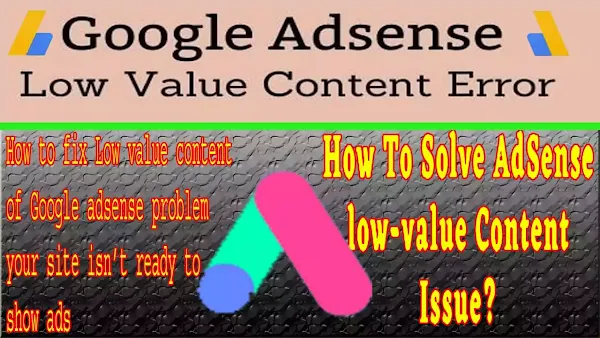
Low value content means that the content on your website has a problem and you have to need to fix it first for approval. Low value content comes under the main three categories named your content, search console and user experience.
Google provides this guideline with this error as above seen. You may find help regarding these issues on your websites. The first three are related to the contents only. It means that Google provides importance to content which has unique and may not be copied from other websites. Let’s try to fix this approval error of the Low value content. You have to check the one by one of the following to resolve Low value content.
How to Fix the Low value content Problem of Google Approval?
Remember that this error will lead to your pages and posts being unindexed. Google found them and they will punish your posts and pages that have duplicate content and thin content on your website. Google will keep this type of post and pages in the discovered current but not indexed and second crawled current but not indexed section.
- Your Content of the post should be 95% unique which means high-quality content.
- Images you applied to your site should be not copywritten.
- Your pages and Posts’ content should be more than 600 words.
- For approval, your overall posts should be more than 25 posts.
- Your website should be a good user experiencewhich means your site theme should be SEO-friendly and mobile-friendly. You set good labels, menusand other navigational elements which provide the facility to visit the site easily to the users. Your pages and posts should be in a good format like font, alignments, word accuracyand headings.
- Check and solve the webmaster guidelines, here means Google search console errors and problems.
You will have to check above mentioned guidelines one by one on your website to solve the Low value content problem and get approval. If we categorized the above guidelines you know that you have to check three main things on your site.
- Contents (Unique High quality, Minimum Requirements & Thin)
- Good user experience with navigational elements
- Google search console errors
What is Unique High Quality, Thin & Minimum Requirements Contents?
We will fix 2 things related to the content-related problems. You have to check your content post data and images applied to it one by one for duplication. Google policies did not allow duplicating the content. Google did not allow permission to run ads on sites that have duplicate content.
Duplicate and thin content is that content may be copied from other sites and generated whether automatically or a bit modified. The content of coping from other sites is the content that you copy from other sites and paste without adding original content and Copied content with bit modifying or slightly modifying found on your sites. It contains
- Other products link and reviews and descriptions without their permission.
- Copying the publisher’s content on your sites.
- Scraped content from reputable sites takes content from PTA websites to provide information to the users.
- Doorway pages also come in thin content. This means that it has many domains and pages and links them to the main page.
- Automated machines or automatically generated content are also considered duplicate content.
- Images are Downloaded from Google and applied to your posts and pages.
- Embedded videos and images also come in the duplicate content category.
Minimum content requirements and Low value content mean that your page should have 600 words to 1000 words per page or post. This should be unique and more than 600 words. There should be more than 600 words your post has otherwise Google ad sense approval will not take action and Google will not provide permission and approval.


How do find and fix the Low value content problems?
· First of all, you have to need to Erase duplicate content from your site and make an original one. You may use online tools like plagiarism checkers. The most popular tool is duplichecker.com and copyscape.com. Open these websites and erase all duplicate content after identifying it. Remember to make all your content unique with your own words not automated. Check your all pages and posts and remove duplicated content shown in the above online tools to solve Low value content.
· Second, you have to check your images also. Image reverse or Google images may be used for image plagiarism. For Google images, Open your page or post which have to check and drag and drop your image into Google images. If you used copywriter images and other images then all the sites will show the results of using that image. You have to change the bit colour scheme and some other text to make it unique. If no site shows the results, it means that your image is unique and no one is using which means that no Low value content.
· Third, you have to avoid repeating the same content on others or multiple pages. You may provide links to other pages for more information but avoid giving the same information on every page. Always use information in the post which related to the article headings. Don’t mix another topic with your main topic.
· Fourth, you have to check thin content pages on your site and remove them. You have to identify and fix them one by one. You don’t use publishers’ data without their permission if you copy past, Google will not approve your site for ads. See the pages that have others products reviews and descriptionsand modify them with your own words to avoid this type of error Low value content.
· Fifth, your post or page should be more than 600 words. Write and lengthy article which contains unique information.
· Lastly, apply for approval after writing more than 25 unique posts.
What is a good user experience with navigational elements?
To solve the error of Low value content and In content, you have to provide unique content. Now, you have to arrange this unique content in a way that users can understand and read it without any difficulty. You have to provide the original content but also arrange it in a good way that users may easily read and understand.
It means that users can easily navigate your site. Your main menu should be accessible to all of your pages and links. Your text and images should be in a style and manner that users or visitors easily access and read them. You have to bold, align and give good font so that the reader understands your text on mobile and pc as well.
You have to make your content a good user experience. You have to provide a good title and all content readable. You should do good alignment, good readability, good sentence length and grammar, good navigational buttons, showing labels and accuracy of articles.
How to fix a good user experience with navigational elements?
· First, you have to examine your theme. The theme should be user-friendly, mobile-friendlyand SEO-friendly. You should use a theme that has these qualities. If you had rejected many times for approval, you have to need to change your theme to fix the Low value content Problem.
· Give your topic a heading with good alignment.
· Set your article in a paragraph view with good fonts and alignment.
· Arrange your posts with labels and categories.
· Menus should be clear and simple in both mobile and desktop views.
· Give good keywords for your post and page.
What are Google search console errors?
Publishers are in agreement with Google to show their ads. Google search the sites which have no error in webmaster quality to show their publisher’s ads. It means that your Google console has no issues or errors. If your Google console has issues in indexing your pages and any other issues and errors, Google will not approve the request for approval.
How to fix Google search console errors?
- Visit your search console’s page and eliminates all the issues that come with Coverage. Try to solve these issues of the webmaster. If a single error exists, Google will not approve your request. Thus, resolve all issues of Google Console first and then request a review of your site for ad sense approval. Your site theme and template should be SEO-friendly with all qualities of a speedy site.
- Your site theme should have navigated menu or main menu clear which is easy to use and move. Solve these issues if exist to solve the issue of Low value content.
- Broken links and misleading links will create a bad impact and need to fix them also. Check all your links that they are working or not. Make sure that your page content and links are claim-free and not missing.
- See the error nature and try to solve it that way.
- Submit a sitemap which is compulsory for indexing the pages and posts of your site. Learn also how to submit a sitemap to search engines here.
- Do index settings on your site as a whole or page by page.
- Resolve all issues of the Google search console and request a review for approval. Hope you will like the post and will eliminate the error of Low value content.
Hope you will have to fix the Low value content Problem now yourself. You can fix the Low value content Problem will be finished after applying the above steps.
You May Also Join Us On:
- You can Join Our Facebook Page for Daily Updates:
- Follow Us on Pinterest to get daily Updates:
You may also like:
- What Are Featured Snippets optimization and How to Optimize in 2025?
- How to Use Google Trends for SEO Growth
- How to completely remove Footer area from bloggers template
- Network Sharing Error “Windows Cannot Access Your Shared Drive or Folder”
- Fix Excluded pages issues of Google Search Console
- How to fix the Google console error “Crawled currently not indexed”
- Best Blogging SEO Tools for Beginners in 2025
- Best Local SEO Tools to Boost Local Search Rankings
- How Internal Linking Can Elevate Your SEO Rankings and Conversion Rates
- What Are Featured Snippets optimization and How to Optimize in 2025?
- How Internal Linking Can Elevate Your SEO Rankings and Conversion Rates