How to make ghost of windows 7 and 10 in USB
Ghost of windows 7 and windows 10 making methods are discussed in the current post. There was a time when you lost everything from your computer by crashing it. You are worried a lot about losing data and having trouble to re-install all data and applications to the computer.
Ghost image which is also known as a “backup” refers to a software or applications data backup process that copies the data of a computer’s hard drive to an individual compressed file internally or externallywhich is called an imageand if you make it through Norton ghost software then called ghost image.
How to make the ghost of windows 7 and 10 in USB
The ghost image copies all the contents from the drive including configuration, applicationsand system settings to another hard disk or flash drive. You will learn in this tutorial how to make a ghost image in windows 7.
Why do we make ghost windows 7?
When your windows interrupt you then you may load this ghost of windows file from backup instead of installing new windows and software again. It saves a lot of time for installing and coming back with fresh data again. The purpose of making the ghost of windows image is actually to enable a quick restore of a system to its previous stage, as a fresh copy.
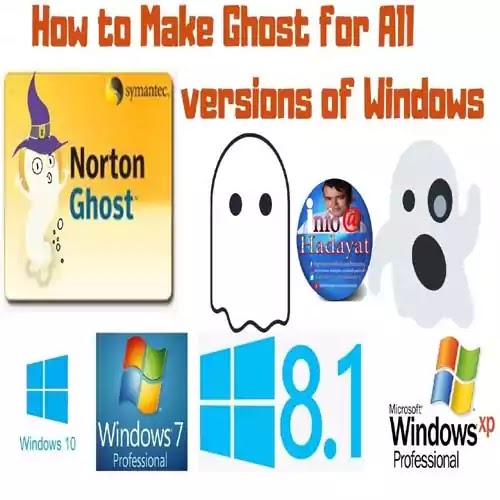
System breakdown or Crashing occurs due to computer viruses, manual errors and Windows updates, etc. Thus, it is really a good idea to come up with a good method to ghost windows 10 of the operating system as a backup in a ghost of windows image.
This is considered the most efficient way to save your data separately and restore it when any disaster occurred. And if held, you may restore it without worrying. If the system goes into a state of not running well, you can easily restore the PC to a previous state so as to reduce downtime and save lots of time compared to reinstalling Windows and applications to re-state the system at an earlier stage.
Ghost imaging of ghost of windows or backup usually creates a full disk image of the software or drive on a computer or flash drive and then that image will allow you to quickly installation of a new fresh copy of windows or data. The ghost image software is often compressed in the system to save space and speed up transfers of backup to the targeted system.


Ghost imaging tools in ghost software can make hundreds of computer systems as exact copies or duplicate. A master machine is built on and installs all the necessary applications and settings then its hard disk is imaged to a file and saved as a backup.
Then, if you have more machines and want to install the same process in all these, all the other machines that image will install to save time. Because windows 10 ghost image is much faster to back up than installing on each machine separately especially if it involves installing many applications or software like above.
How to create an image of the ghost of windows 7 step by step.
Ghosting or imaging may save your hours of setup time compared with loading programs from CD or USB or hard drive and it reduces errors in the process of fully and suavely backup. But new updates installed during usage time of the operating system and other applications customization by you will be lost because of earlier made ghost of windows imagesand Microsoft also does not support image-based cloning, especially of windows operating systems.
All windows have system restore points at an earlier stage, this is also known as image. The system made an image and when any problem occurs in the system, the system itself asks to restore a backup from the recovery section in the control panel. There is a list of imaging or backup software that may work alternatively against ghost software.
Ghost of windows image software
- Acronis True Image is used in Windows for recovery purposes.
- Clonezilla, dd and Partimage are open-source tools and software for imaging.
- EaseUSTodo Backup software.
- StorageCraft drive imaging tools software.
- NetApp for rapid image distribution.
- Microsoft and Apple’s big marketers provide tools and software for creating clones that are a mixture of an image manager and a ghosting tool like iCloud.
- SmartDeploytakes a different imaging tool to clone to a virtual machine creates on the targeted system. Cloud imaging software like OpenStack cloud software and major cloud service providers maintain image cloning tools and libraries in cloud drives. Cloud imaging tools fulfil a similar function within a cloud’s cluster but are limited to the specific cloud type.
Besides, files and folders can be easily lost or deleted. Therefore, it is also a must that you ghost your important data to another place for data recovery.
Get Now
How to make a ghost of windows image backup?
Follow the steps to make a ghost of your system.
- Download the Ghost software files.
- Extract them on your desktop.
- Insert your USB into Computer.
- Format the USB.
- Open the extracted Downloaded folder and run the Format Tool software.
- Select your flash drive and do the settings as below.
- Choose the 3buttons and select Downloaded folder boot folder.
- Your drive will be format and then close the application and window.
- Open again the Downloaded folder and copy the 2nd folder and paste it into a flash drive.
- You have done your initial job. Now restart your PC and run with USB.
- Select Local, Partitionand then To Image.
- Now Select your drive which you want to make a ghost. then select the drive where you want to keep the ghost file backup.
- Now your ghost will start to make the ghost file.
- Now, if you want to restore your image, do the same process but select From Image instead of To Image.
You have successfully made a ghost of windows 7 and windows 10 on USB to install the windows on another computer.
You May Also Join Us On:
- You can Join Our Facebook Page for Daily Updates:
- Follow Us on Google News to get Daily Updates:
- Follow Us on Instagram for daily Updates:
- Follow Us on Pinterest to get daily Updates:
- Join Us on Twitter to get daily Updates:
You may also like:
- ai generated canva images
- backup large site using wordpress
- basic wordpress seo tutorial guide and wordpress seo tips
- best keyword research tools
- best remote desktop software
- best seo optimization to increase bloggers traffic
- best surfer seo alternatives
- best web hosting for wordpress
- best white label seo tools
- best wordpress theme
- bing seo 11 great tips
- black hat seo 7 tactics
- blogger to wordpress full guide to migrating your site
- bluehost wondersuite ai website builder