
How to type through voice, video and audio into the computer?
Type through a voice from the video will be discussed Today, we will discuss all the ways of posts and article writing through three different channels on computers and mobiles. We will learn…
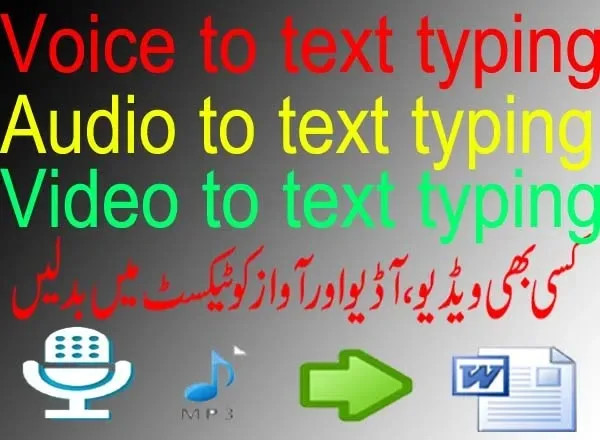
- Voice-to-text typing
- Audio to text typing
- Video to text typing
There are different occasions that happen when you record your videos and then try to write post for the website. You need much time to rewrite posts after publishing videos. This post or article will show you the procedure to type in Microsoft word through videos and type through voice on a computer. Let’s start the procedure.
How to type through voice, videoand audio into the computer?
Make sure, you should have the following on your computer before starting.
- Software is required where you have been used to type through voice or videos like Microsoft Word or Google Docs.
- Google voice typing software is required for computer recording.
- An audio panel of audio out, audio lineand audio in, these 3 lines are required.
- An Internet connection must be required for this typing.
Watch the Video Tutorial here on type through voice
Microsoft Word or Google Docs Applications
Microsoft word is an application of word processing and you may write English and Urdu in this application. You have to install this software into your system if you want to type in this software. Click here to get now from Jobs4mine and install Microsoft office all versions on your computer.
Google Docs is an online application from Google. It saves the file as you type. This works as a word and actually, it is a word. You may also use it for this purpose. You may use any one of the above applications or both at the same time for typing purposes.
Google voice typing a type through voice
Google voice typing is a great innovation in voice typing. This Google product is typing after listening to the voice. This voice source may be mic, audioand video. So, this function should be available in your windows. If you have windows 10, there is no worry about it.
You have to just enable it and it started to work on the level of the windows. But if you have windows 7, this function is not working properly although enabling it. Those users who have windows 7 installed in the systems may use Google Docs for this purpose. Because Google Docs has this add-on in it.


Audio Panel of computer
The audio panel is available on the backside of the computer and some computers have it on the front side also. There are normally two to three audio sockets available on computers. These below sockets may be possible to have.
- Mic
- Line in
- Line out
- Composite (Heandfree)
Mic audio socket cable from the microphone is used to record your voice on the computer. This will record your own voice through a microphone. If you have a microphone, plugin in this socket.
Line in socket and cable is also used as mic. This is used when you want to send a voice to a computer for recording through other media like other computers or mobile. This means that line is used as input through devices. This socket is used when you have to type through voice from video and audio on a computer.
Line out is used for output from computer-like speakers.
Composite is used for composite devices like hand free which have lines in and out.
How can type through voice typing in Microsoft Words?
You may type through voice. You are speaking as typing is also doing along with voice. You may type in Microsoft Word in Windows 10 and on Google Docs. Follow the steps, please.
- Plugin your mic into the audio panel.
- Enable the voice function in Windows 10. For the purpose of enabling voice typing, you have to go to the control panel and then voice typing. Click and then enable it.
- After enabling its pin will show on a desktop near the computer clock like keyboard icons.
- Open Microsoft word.
- Click on the voice typing pin and then click on your mic to start.
- As you speak, typing will also be running.
How can type through voice typing in-app of Google Docs?
You may type in this process in Google Docs also. If you don’t install Windows 10, then maybe type in Docs. You may use it on windows 7. Kindly follow the procedure.
- Open the Docs now, click here. You will be login first using your Gmail ID.
- Click on the “tool” at the top menu tab.
- Now, select their voice typing.
- Mic icon will be shown on the right side. Click on it to type.
- Now, you speak and typing will also start with your voice. You may select the languages in which you want to speak and type.
How can type through voice automatically through videos and audio voice?
You may also type through voice your videos and audio voice. You have a video of Naat. Now, you want to type this Naat to memorize. If you type by listening to these words, it takes a lot of time to type. If you use voice typing, it will take time while play the video. Let’s start to type the typing through videos and audios.
First, you use the mic as input to the computer through your own voice in the above method where you have a voice through the microphone. But now, you will use “Line In” from the audio panel for input to the computer through “Audio out”. So, first plugin the one side of the audio cable in Line In and the second side in Audio out/speaker. In this way, audio comes out from audio out to the speakerand then the same audio will go to compute as a mic through-line in from the audio panel. Let’s start it.
- Open your video or audio in the player.
- Now, open Microsoft Word or Docs. Anyone which you like.
- Play the video or audio.
- Click on the mic to type. If your setting is done successfully byline out to line-in, then this will start to type.
- Your video or audio is playing and typing on the other side.
- Weldon, you have done it.
You may also like:
crypto fear and greed index to know
cryptocurrency mind game and game changer challenges
cryptocurrency blockchain
crypto chart patterns volume indicators and trading all triangle chart patterns
crypto bank withdraw money
cms websites
claim free crypto coins and its works
certifications
case studies
can you trust coin market cap
calculate stop loss in cryptocurrency trading
business websites
blogger issues 2
binance support through chat and email
best wordpress seo

