Maximizing Popups: Effective Popup Optimizations in WordPress
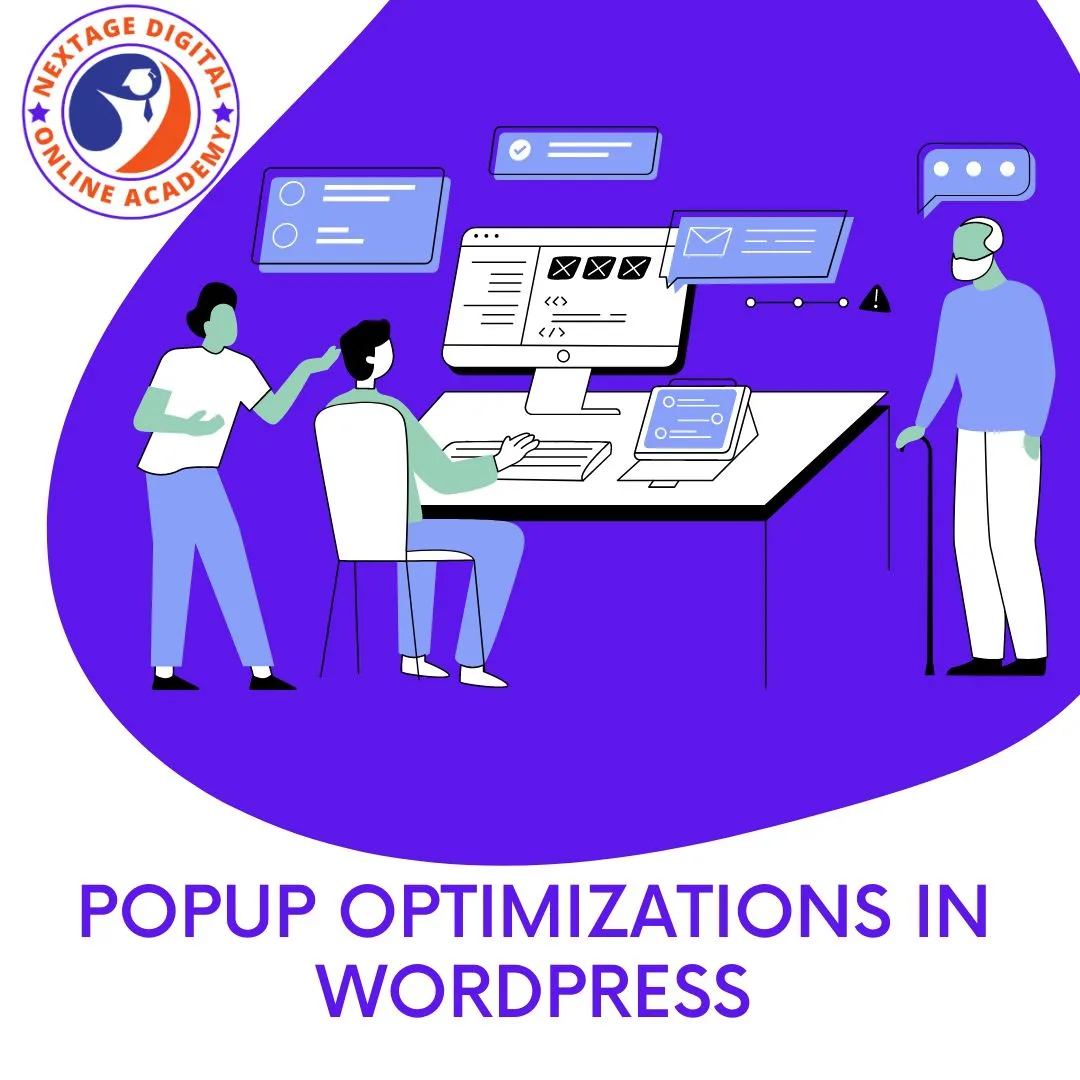
Popup Optimizations in WordPress: Popups are powerful tools for capturing YOUR visitors’ attention, driving conversionsand increasing engagement on your WordPress website. However, to truly harness the potential of popups and maximize their effectiveness, it’s essential to optimize them for user experience, relevanceand conversion rates.
In this comprehensive Maximizing Popup Optimizations in WordPress guide, we’ll explore the key strategies for optimizing popups in WordPress, discuss best practices for designing and implementing popups and provide you actionable tips to help you to achieve popup perfection.
Understanding Popup Optimization
What is Popup Optimization?
Popup optimization refers to the full process of fine-tuning and refining your popups to enhance their performance and effectiveness. This involves optimizing various aspects of your popups which including design, messaging, targeting, triggering and frequency with the ultimate goal of improving your user engagement, increasing conversions and driving results.
Why is Popup Optimization Important?
Popup Optimizations in WordPress ensures that they deliver maximum impact and value to your website visitors, rather than being intrusive or disruptive. By optimizing your popups, you can create a more seamless and enjoyable user experience, increase the likelihood of conversions and achieve better results from your popup campaigns.
Key Strategies for Popup Optimization in WordPress
Now the time to study about the Popup Optimizations in WordPress strategies, Lets try to examin and implimentation in your wordpress website.
1. Design with Purpose
Create visually appealing and attention-grabbing popup designs that align with your brand identity and convey your message effectively. You can Use high-quality images, clear and concise copy and compelling calls-to-action to encourage action from your visitors.

2. Personalize Your Messaging
Tailor your popup messaging to specific audience segments based on their demographics, behaviors or interests. Personalized messaging resonates more strongly with visitors and increases the likelihood of engagement and conversion.
3. Optimize Targeting and Triggering
Fine-tune your popup targeting and triggering settings to ensure that your popups are displayed to the right people at the right time. Use advanced targeting options such as exit-intent, scroll-triggeredor time-delayed popups to capture visitors’ attention when they’re most likely to engage.
4. Test and Iterate
Regularly test different variations of your popups, including design, messaging, targetingand triggering options, to identify what works best for your audience. You can Use A/B testing to compare performance metrics and make data-driven decisions to optimize your popups over time.
5. Monitor Performance and Analytics
Track key performance metrics such as conversion rates, click-through rates and engagement metrics to gauge the effectiveness of your popups. You may Use different analytics tools and dashboards to monitor performance trends, identify areas for improvement and Popup Optimizations in WordPress campaigns accordingly.
Best Practices for Popup Optimization
Lets see the best practices for the Popup Optimizations in WordPress.
Keep it Relevant and Timely
Ensure that your popups are relevant to the content and context of the page where they’re displayed and avoid bombarding your visitors with irrelevant or untimely popups that may detract from their experience.
Respect User Preferences
Respect your visitors’ preferences and provide clear options for opting in or out of receiving popups. Offer easy-to-find close buttons, opt-out optionsor frequency settings to give visitors control over their popup experience.
Balance Intrusiveness and Effectiveness
Strive to strike a balance between capturing visitors’ attention and respecting their browsing experience. Avoid overly aggressive or intrusive popups that may frustrate or alienate visitors and instead focus on creating popups that enhance, rather than disrupt, the user experience.
Conclusion
Popup Optimizations in WordPress is a very critical aspect of maximizing the effectiveness of popups in WordPress. By implementing these strategies and best practices outlined in this Popup Optimizations in WordPress guide, you can create engaging, relevantand high-converting popups that drive results for your website. Remember to continuously test, iterateand refine your popups based on performance data and visitor feedback to ensure ongoing success and effectiveness.
With careful optimization, popups can become valuable tools for engaging your visitors, driving conversions and achieving your marketing goals on your WordPress website.
In this Popup Optimizations in WordPress video, we focused on refining the user experience on our website, particularly regarding the behavior of buttons and the appearance of the logo. Here’s a breakdown of all topics and what we had covered:
- Customizing Button Behavior:
- We aimed to create a distinction in button behavior based on the device being used, ensuring that your users on different devices have an optimal experience.
- Duplicated a widget to create two buttons: one for triggering a pop-up and another for redirecting your users to a specific page.
- Configured the buttons to be visible or hidden based on the device being used (desktop, tabletor mobile).
- Tested the functionality to ensure that the pop-up appears on desktop and tablet devices while the redirection occurs on mobile devices.
- Styling the Navigation Menu:
- Updated the navigation menu to include custom links for different sections of the website such as services, about and follow.
- Assigned appropriate hashtags to each menu item to ensure smooth navigation within the website.
- Tested the navigation links to confirm that your users are directed to the correct sections based on their selection.
- Adjusting Logo Size:
- Modified the size of your website logo to ensure it is visually appealing and proportionate across different devices.
- Accessed the header section and adjusted the font size of the logo specifically for mobile devices while maintaining its appearance on tablets and desktops.
- Verified your changes to ensure that the logo is appropriately sized and aligned on all devices.
- Finalizing Website Customizations:
- Reviewed the overall website customizations and confirmed that your buttons, navigation menu and logo adjustments are satisfactory.
- Emphasized the versatility and customization options offered by the chosen website builder, highlighting its effectiveness in creating a visually appealing and user-friendly website.
- Previewed the website to ensure that all modifications are accurately reflected and contribute to an improved user experience.
By implementing these changes for Popup Optimizations in WordPress, we aimed to enhance the usability and aesthetics of the website across various devices, ultimately providing visitors with a seamless and engaging browsing experience. In the next video, we will focus on further enhancements, such as adding elements to the footer and refining other aspects of the website design when you clearly understant the concept of Popup Optimizations in WordPress.
Join us on Social Media Platforms:
- Join us on the Facebook page:
- Join Us on the Linkden Page:
money market fund
money market instruments
portfolio management and money management
techniques for amazon product research
types of trading and markets
waqar zaka cryptocurrency paid course for free
ways to earn free crypto
what are amazon and amazon wholesale
what is amazon complete mastery amazon course free
what is product hunting on amazon