Oyedad Blogger Theme template Free Download
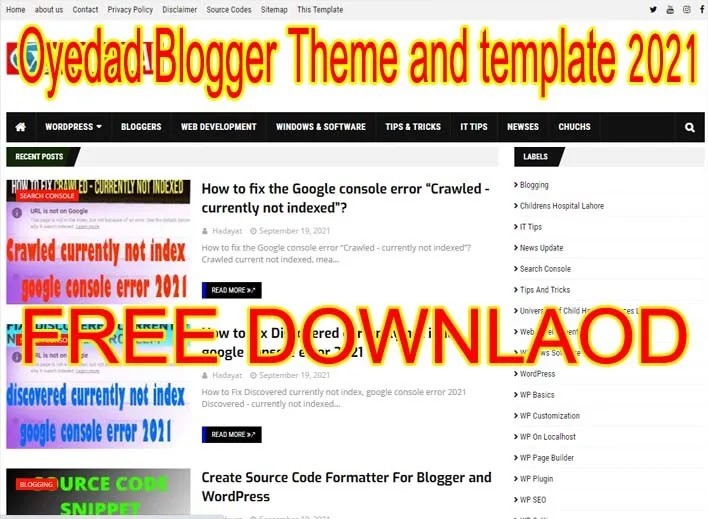
Oyedad blogger theme or template is an advanced theme and template. This is a beautiful theme or template. Oyedad Blogger Theme is a free version from the publisher and you may view it as a demo and use its full features in your blogger career.
This theme or template is full-fits your desire. It is a full Adsense friendly and SEO blogger theme.
Oyedad Blogger Theme and template
Features of the template and the theme of Oyedad Blogger Theme.
- Schema markup is coded and used in this theme or template.
- This theme is fully supported on all devices, especially mobile-friendly ones.
- This theme or template is fully responsive to every device.
- This theme or template is fully Adsense friendly.
- This template has been used HTML5.
- This theme has good navigation.
- This theme has a full user experience.
- No needs to put ads codes on every post or page, auto implementation on all websites.
- This has organization schema markup also.
- Immediately rank in search engines.
- Fully support all search engines to index your posts and pages.
- This theme or template has fully sped up, you may check it google insight first.
- Increase traffic due to a good user interface.
- This theme or template is supported full width.
- This theme or template has a smart mobile menu.
- It loads ads very friendly to all posts and pages.
- This theme has JSON schema markup also.
- This has the latest discussion and comments section.
How to Download and install on the blogger?
- You have to Download the first XML file by clicking the above link.
- Now, extract the Downloaded files on your computer drive or desktop.
- Open your blogger’s dashboard.
- Go to the theme section.
- Click on edit HTML.
- Click on backup. This will back up your all current data on the blogger.
- Now, click on the edit HTML section.
- Your blogger HTML website coding page will be opened.
- Open your Downloaded XML file in a notepad.
- Do the changes hereof schema markup. You have to change all schema markup with your own schema markup. Change the name, website URL, logo URL, Facebook, Twitter, Instagramand youtube channel ids. If you don’t have just delete them from the file.
- After replacing all things, copy the entire XML code.
- Go to the blogger dashboard and paste it there.
- Click on the Save button.
- You have successfully changed your blogger’s theme.
How to customize the Oyedad Blogger Theme?
You can easily customize this theme or template. Just click on the layout and change accordingly. This theme or template has a good user interface. Hope you like this theme and may use it in your bloggers.Learn more about how to fix crawled currently not index issues.
Download Now Click For Demo
You May Also Join Us On:
- You can Join Our Facebook Page for Daily Updates:
- Follow Us on Google News to get Daily Updates:
- Follow Us on Instagram for daily Updates:
- Follow Us on Pinterest to get daily Updates:
- Join Us on Twitter to get daily Updates:
You may also like:
- best adthrive alternatives
- best free seo course with certificate
- best free wordpress theme for blogging
- best perfect blogging ideas
- best seo blogs seo tools template
- best seo courses by Techno Hadayat tanveer nandla seo course free
- best technology blogs for news
- best tips calculator blogger code
- best wordpress themes for mobile apps
- birthday calculator blogger code
- block spam comments wordpress stop spam in blogger
- bloggermag seo friendly premium bloggers template
- blogger not opening without www
- bloggers posts late indexed after first 30
- blogs and adding or creating posts