How to design and print PVC Cards for Students and Employees
You are running a PVC Cards printing business, press or shop and maybe using a method of printing them. We will discuss how to design the cards and how to print the cards. There are many expert methods to design and print them but will discuss the main and easy methods. For designing and printing the PVC Cards, we may use the following method. Use it as you consider easiness.
- Through the Software
- Through the CorelDraw application
- Through the Adobe Photoshop
- Through the Microsoft Office application
How to design and print the PVC Cards for Students and Employees?
Through Software
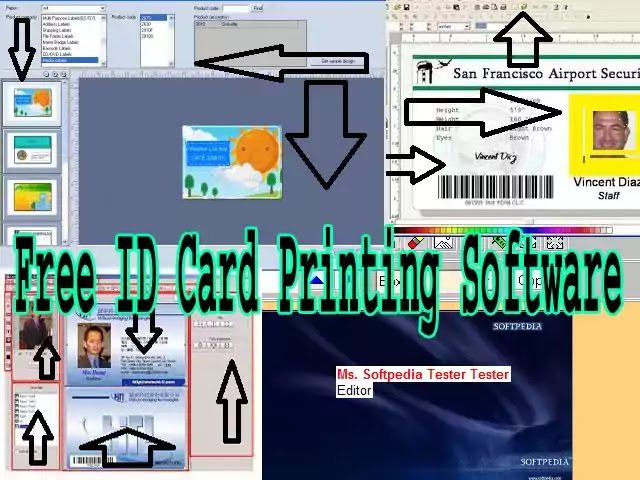
Software is the first and top priority for PVC Cards designing and printing. Because It’s simple and easy tools, you may design and print them in one place. The software provides you with a good and easy environment in which help you can print your PVC Cards easily.
I will personally suggest you print your PVC Cards through software. There is a lot of software in the market in which are free versions and premium versions. If you have your own business then it’s better for you to purchase a full version of the software. At the time, we will discuss free software here. There is a list of free software for PVC Cards printing.
Free PVC Cards ID Card Printing Software
1. ID Flow
ID Flow is a free ID PVC cards-making and printing software for Windows-based. This software helps you to design your PVC ID cards for school children, college students, employeesand people of other professions. Using it, you can create semi-custom as well as fully custom ID cards.
Semi-custom cards have a default ID card structure in which, all you need to do is to add the information and photo of the employee to create the ID card. However, in the full custom card procedure, you can change every aspect of the card, including colour, font, textand image size.
2. Card Desiree CS
They have designed this software specifically for their CS series printers. So if you do not own a printer, this application will not work for you. After launching it on your device, you will see a simple and compact window that shows all the features in a clean organized interface.
You will be able to insert the necessary items on both the front and back of the ID PVC Cards! These components include design elements such as image, font, background colourand more. To ensure the safety of your employees and the company, you can also include authorized signatures and barcodes on the cards.

3. Clickable Card
It is one of the veterans of the sector as it has been active for more than a decade. That’s why it supports older versions of Windows like 98, XP, NT, Vistaand more. However, do not assume that its features are not useful for the new edition! You can Download it and use the software 2013 version and later. One limitation is that the only operating system it works with is Windows.
To get started just click on the simple user interface and open it. Using the features offered on this interface, you can make the background of your ID PVC Cards transparent or solid. Attach the card items to the back or front as you wish. You will also choose the font, colourand size of the text. Basic information, it allows you to add URLs and comments to the card.
FormtecDesign Pro
ID PVC Cards, you can make different types of cards such as business cards, media labels, barcode labels, photo stickers, etc. Now, you can add an employee’s photo, add personal information, change the background colourand add a bar code to design an ID card. To make further changes, such as alignment, card length, width, background colour, font colour, etc.
free business Card Maker
Free Business Card Maker is free business card maker software for Windows. You can also use this card maker to design and make ID cards. It’s not a dedicated ID card makerbut it does have the user’s image, personal informationand the necessary card resizing tools.
Before designing an ID PVC Cards, you can change the ID card’s height, widthand background colour from the settings menu. After that, you can add text and images to the editor section of this software using the relevant tools.
Through CorelDraw
You may design and print ID PVC Cards in CorelDraw software individually and in bulk cards. CorelDraw has more capacity in good resolution. New versions of CorelDraw like X3 to later versions have the plug-in and macros to connect your database with the cards. Download the A4 template to make PVC ID Cards in CorelDraw.
PVC ID Card Print CorelDraw Layout Link
Through Adobe Photoshop
Adobe Photoshop is an image designing software. You may also, create your ID Cards in it and may print cards with high quality by installing extra printer drivers like Epson Stylus Photo 620R Driver. When you print the ID card select this driver property and print in high resolution and quality.
We have made a template to make cards individually as well as a group in the A4 sheet. Download them and be enjoyed them. This will not link the database with this.
PVC ID Card Print Adobe Photoshop Layout Link
Epson Stylus Photo 620R Driver Link
Through Microsoft Office
You may design and print PVC ID Cards in Microsoft word exceland PowerPoint. These are in low-quality printing. Watch the full tutorial here to make ID cards.
Conclusion:
In the end, we conclude that software is the professional method to design and print id cards and methods like CorelDraw, Adobe Photoshop and Microsoft Office are traditional ways and methods. The software has the quality to link up your database for backup purposes.
If you are creating for organizations then a database is more important for you. Traditional methods have not qualified to connect databases. So professional software is a good choice for id card designing and printing.
- how to customize the content area of wordpress
- how to download and install hp printer driver in windows 7
- how to fix windows 11 installation error this pc cant run windows 11
- how to install windows 11 without tpm 2 0 and secure boot
- how to remove m1 tag from url in blogger for seo improvement
- how to setup wordpress seo plugin rank math on site
- how to start a blog and make money uk
- how to successfully start a blog
- how to update nextgen webp format
- hp laserjet 1320 printer driver download
- icon lists in wordpress