WordPress Basics: What we will learn in this section of WordPress Course?
WordPress Basics: Hey thereand congratulations on completing the WordPress installation first section! Now that we’ve covered how to install WordPress, including on free web hosting using auto-installers and on our own computers for learning purposes, it’s time to delve into the main part of this tutorial.
Let’s start by reviewing everything about the WordPress dashboard. If you navigate to your homepage, you’ll see how your website looks. This is where we’ll focus on understanding the basics and then move on to building a basic website using this theme.
Eventually, we’ll progress to working on projects like creating personal websites, business websites, professional blogs and more. But before we dive into those projects of WordPress Basics, it’s very crucial to master the overview and basics of WordPress.
WordPress Basics: What we will learn in this section of WordPress Course
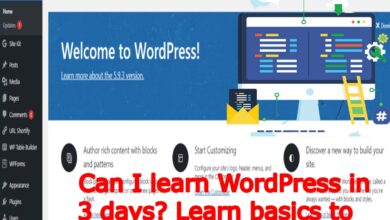
You’ll notice the admin panel, where you can see that you are logged in as an administrator. Don’t worry if you don’t see any profile features yet; we’ll cover those later. This dashboard view changes for non-admin users, as they won’t have access to certain features.
To access the WordPress dashboard, simply type your domain name followed by “/wp-admin” in the browser’s address bar. This will take you to the admin panel, where you’ll find various options to manage your website.
What we will cover in this section of WordPress Basics
Now, let’s talk about pages and posts. Pages are very essential for creating core website contentwhile posts are more commonly used for blog entries. For now, we’ll focus on pages as they are the foundation of most websites.
You can create and manage these pages from the dashboard, where you’ll find options to view all pages, edit existing onesor create new ones. We’ll start by creating main pages like the homepage, about pageand contact page. These are very crucial for any website and will serve as the basis for learning how to customize and design your site.
- How to add pages in WordPress
- Setting up the HomePage and Menu
- What is a Blog, blogging and how to add your posts in blogs.
- Lets create a blog page
- How to categorize posts
- Understanding widgets
- WordPress Settings and Permalinks
- Comments and Comment Settings
- WordPress theme customization
- What are WordPress themes and how can you work with them?
- What are WordPress Plugins and how can yoy install and use them in your websites?
- WordPress users and memberships?
In the next class of WordPress Basics, we’ll walk you through creating these pages, setting up a menu and integrating a blog into your website. As we progress, we’ll cover more advanced topics and move towards developing more professional websites.

So stay tuned and let’s join on this WordPress journey together. See you in our next class of WordPress Basics sections on the Nextagedigital plateform!
Join us on Social Media Platforms:
- Join us on the Facebook page:
- Join Us on the Linkden Page:
- guide to amazon fba inspection in china
- hana securities and ilunex enter into sto business agreement
- how many types of cryptocurrency
- how to add contact form in the hire me page in wordpress
- how to create a blog for free
- how to get free nfts today
- how to invest in cryptocurrency today
- how to learn digital marketing
- html sitemap
- is binance still working in pakistan
- is cryptocurrency a good investment
- logo and topbar in wordpress