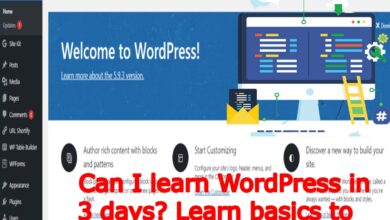
WordPress Basics: Full WordPress Theme Customization with NextageDigital Education
WordPress Theme Customization with Techno Hadayat Education: Hey everyone, welcome back! Today, we are diving into one of the most exciting parts of building your website with customization. Let’s explore how you can make your website uniquely yours.
WordPress themes serve as the foundation of your website’s design, layout and functionality. While pre-designed themes offer you a quick and convenient way to get started with your website, customizing your WordPress theme allows you to personalize and optimize your website to better suit your brand, content and goals.
In collaboration with NextageDigital Education’s comprehensive WordPress course and class of WordPress Theme Customization, we’ll delve into the intricacies of WordPress theme customization, exploring the tools, techniques and best practices for creating your unique and impactful website.
Understanding WordPress Theme Customization:
WordPress theme customization refers to the process of modifying the appearance, layout and functionality of your website’s theme to better align with your preferences and requirements. Whether you are a beginner or an experienced user, understanding how to customize your WordPress theme empowers you to create your website that stands out from the crowd and reflects your individuality and vision.
- WP Customization Options:
- WordPress offers you a range of customization options that allow you to tailor your theme to suit your specific needs and preferences. These options of WordPress Theme Customization may include:
- Theme Customizer: The WordPress Theme Customizer provides you a user-friendly interface for making real-time changes to your theme’s settings, such as colors, fonts, header and footer layouts, background images and more with easy steps.
- Widget Areas: Widget areas allow you to add and arrange WP widgets (e.g., text, images, videos, social media feeds) in different sections of your theme, such as sidebars, footers and headers, to customize your website’s layout and functionality.
- Theme Options Panel: Some themes come with a built-in theme options panel that provides you additional settings and controls for customizing various aspects of your theme, such as typography, navigation menus, page templates and more.
- WordPress offers you a range of customization options that allow you to tailor your theme to suit your specific needs and preferences. These options of WordPress Theme Customization may include:
- CSS Customization:
- For advanced WP users, CSS (Cascading Style Sheets) customization offers you unlimited possibilities for fine-tuning your theme’s appearance and styling. By adding custom CSS code to your theme, you can override default styles, tweak design elements and create unique visual effects to make your website truly one-of-a-kind.
- WordPress provides you several methods for adding your custom CSS to your theme, including:
- Custom CSS Editor: Many themes include a built-in custom CSS editor where you can enter and save your custom CSS code directly within the WordPress dashboard.
- Child Themes: Creating your child theme allows you to make customizations to your theme’s CSS and other files without affecting the original theme files. This ensures that your customizations remain intact even when the theme is updated.
- CSS Plugins: Alternatively, you can use WordPress plugins that provide you CSS customization features, such as live preview, syntax highlighting and code optimization, to streamline the customization process and enhance your workflow.
- Responsive Design:
- With the increasing prevalence of mobile devices, responsive design has become very essential for ensuring that your website looks and functions seamlessly across different screen sizes and devices.
- When customizing your WordPress theme, prioritize responsive design principles by testing your website on various devices and screen resolutions, adjusting layout and styling as needed to ensure optimal user experience and accessibility.
Using the Customizer
To start customizing your website, simply click on the “Customize” option in your WordPress dashboard. This opens up a new window for you where you can tweak your various aspects of your website’s appearance and functionality.
Site Identity
First up, let’s talk about your website identity now. Here, you can add your logo and tagline of your website to give your site a professional look. Upload your logo, adjust your tagline and see the changes in real-time.
Color Scheme
Next, let’s play with the color scheme with WordPress Theme Customization. You can choose from predefined color schemes or create your own custom colors. Experiment with different color combinations until you find the perfect look for your website.

Header Media
Want to add your background video or image to your header? No problem! With the header media option, you can easily upload your video or image to make your website more visually appealing.
Menu
Manage your website’s menu right from your customizer in WordPress Theme Customization options. Add new pages, rearrange menu items and customize your look and feel of your navigation bar.
Homepage Settings
Control how your homepage looks and functions with the homepage settings. Choose what content appears on your homepage and customize the layout to suit your needs.
Additional CSS
For advanced users familiar with CSS, the additional CSS option allows you to add your custom CSS code to further customize your website’s appearance. Don’t worry if you are not familiar with CSS—this feature is optional and not necessary for basic customization.
Publish Your Changes
Once you are happy with your WordPress Theme Customization, simply hit the publish button to make your changes live. Your website will instantly reflect the updates you have made and allowing you to see your changes in real-time.
Best Practices for WordPress Theme Customization:
To make the most of your WordPress theme customization efforts, you should consider implementing the following best practices:
- Plan Ahead: Before diving into WordPress Theme Customization, take the time to outline your goals, preferences and requirements for your website’s design and functionality. You should also Consider factors such as branding, content structure, user experience and SEO to inform your customization decisions.
- Backup Your Website: Before making any significant changes to your theme, always backup your website to prevent your data loss or unintended consequences. This allows you to revert to a previous version in case something goes wrong during the WordPress Theme Customization process.
- Experiment and Iterate: Don’t be afraid to experiment with different customization options, layoutsand styles to find what works best for your website. Take advantage of the WordPress Theme Customizer’s live preview feature to see how changes affect your website in real-time and iterate based on feedback and observations.
- Stay Up-to-Date: Keep your theme and WordPress core files updated to ensure compatibility with the latest features, security patches and performance enhancements. Regularly check for theme updates and apply them as needed to maintain a secure and optimized website.
Conclusion:
WordPress theme customization empowers you to create your website that reflects your unique style, brand and vision. With NextageDigital Education’s WordPress course, you can master the art of WordPress theme customization, learning the tools, techniques and best practices for creating a standout website that captivates your audience and achieves your goals.
In our next course video, we’ll explore themes and how you can use them to give your website a unique look and feel. Themes are very powerful way to personalize your website and make it stand out from the crowd.
Join us on Social Media Platforms:
- Join us on the Facebook page:
- Join Us on the Linkden Page:
- Zebra Zdesigner Gk888T Label Barcode Printer Driver
- Zebra Zdesigner Zd888 203Dpi Zpl Printer Driver
- 3rd week best seo courses
- 7 ways to monetize expired domains
- best blogger skills
- best cryptocurrencies to buy
- best money making apps
- bitcoin breaks the ointment point again
- bithumb launches 10 billion
- blockchain wallet address
- blogger skills what do you need to be blogger skill
- candlesticks and price action trading
- cryptocurrency and blockchain
- email marketing courses